OpenRouter Setup in VSCode for AI Development
OpenRouter gives you API access to a bunch of AI models through one endpoint. To get it working in VSCode, you install the Continue extension, add your API key, and pick your models. The whole thing takes maybe five minutes, and then you've got access to dozens of free and paid models right in your editor.
Once it's set up, VSCode gets way more useful. You can reach GPT-4, Claude, Llama, and other models without leaving what you're working on. The nice part is being able to stick with free models for experimentation, then switch to paid ones when you need better results.
Why OpenRouter Instead of Direct APIs
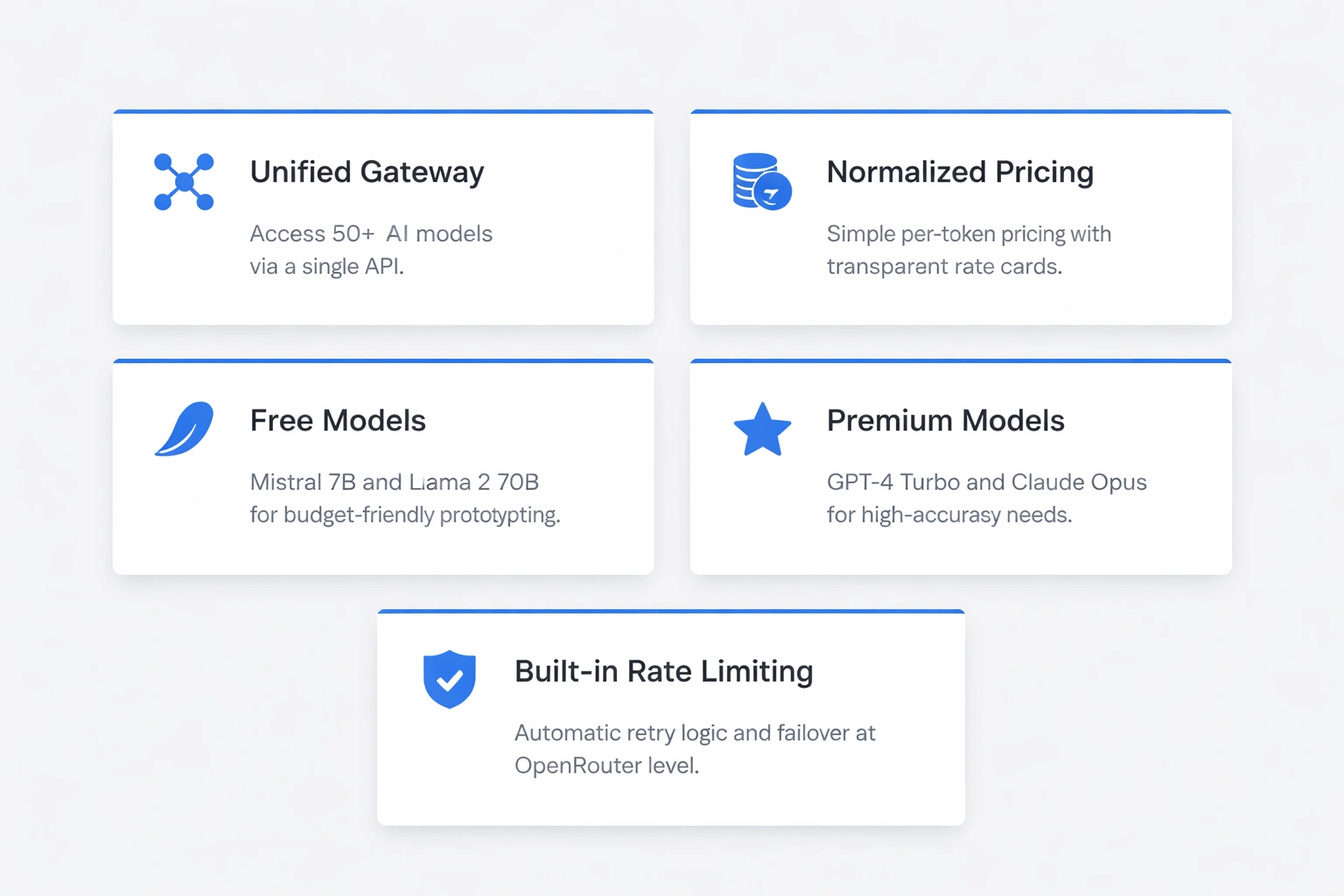
OpenRouter is a unified gateway to over 50 AI models. The traditional approach means separate API keys and integration code for each provider, which gets old fast.
Pricing is normalized across providers. You pay per token with transparent rate cards. Free models like Mistral 7B and Llama 2 70B let you prototype without worrying about budget. Premium options including GPT-4 Turbo and Claude Opus become available when accuracy matters more than cost.
Rate limiting happens at the OpenRouter level. Your applications don't need provider-specific retry logic. The service handles failover automatically when a model endpoint goes down. This matters for production workflows where AI completion failures disrupt developer productivity.
Getting Your OpenRouter API Key
Visit openrouter.ai and create an account. The dashboard provides $5 in free credits for new users. Navigate to the API Keys section and generate a new key. Copy it immediately since OpenRouter displays it only once.
Store the key somewhere safe. Never commit API keys to version control. The key format starts with sk-or-v1- followed by a long alphanumeric string. This prefix identifies OpenRouter keys versus OpenAI's sk- format.
Free tier limitations allow roughly 500,000 tokens monthly across free models. Paid usage charges your credit card based on actual consumption. The billing dashboard shows real-time spending breakdowns by model. Set spending alerts to avoid surprise charges during heavy development sessions.
Configuring Continue for OpenRouter
Open VSCode copilot chat window and select add custom models.
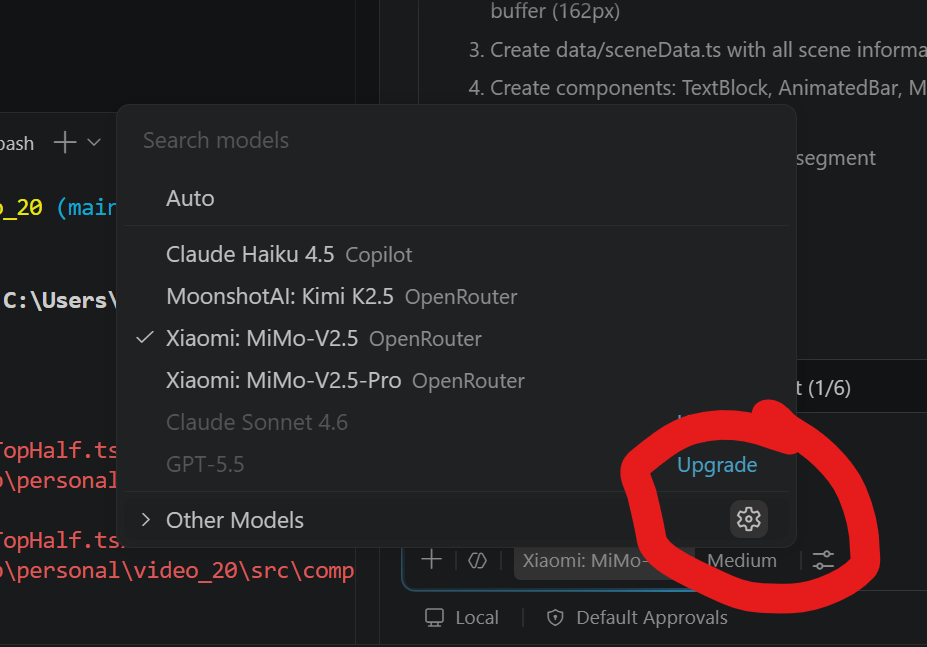
In the custom model drop down choose openrouter
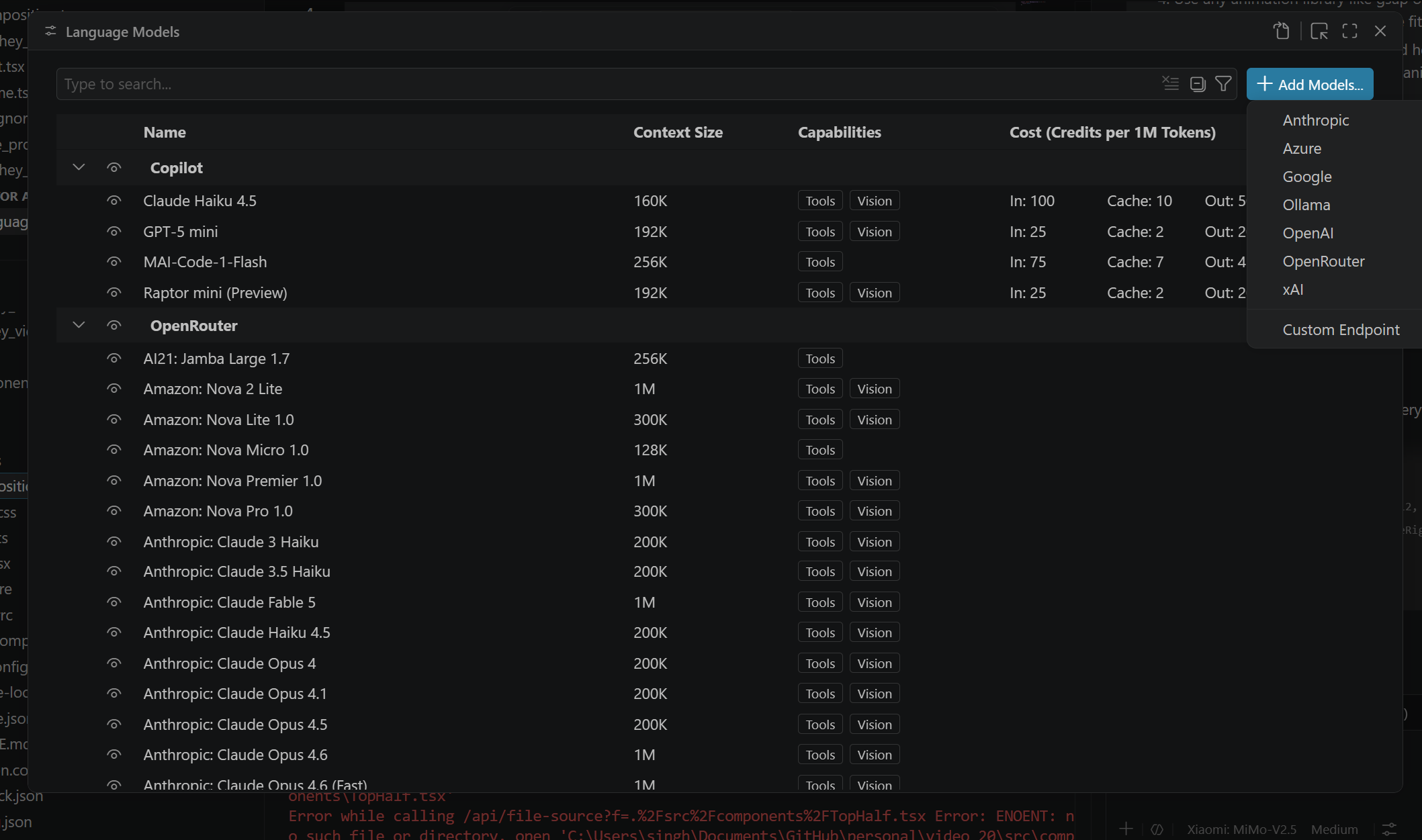
and enter your key copied in step 1. That's it, now you have access to all models available in openrouter.
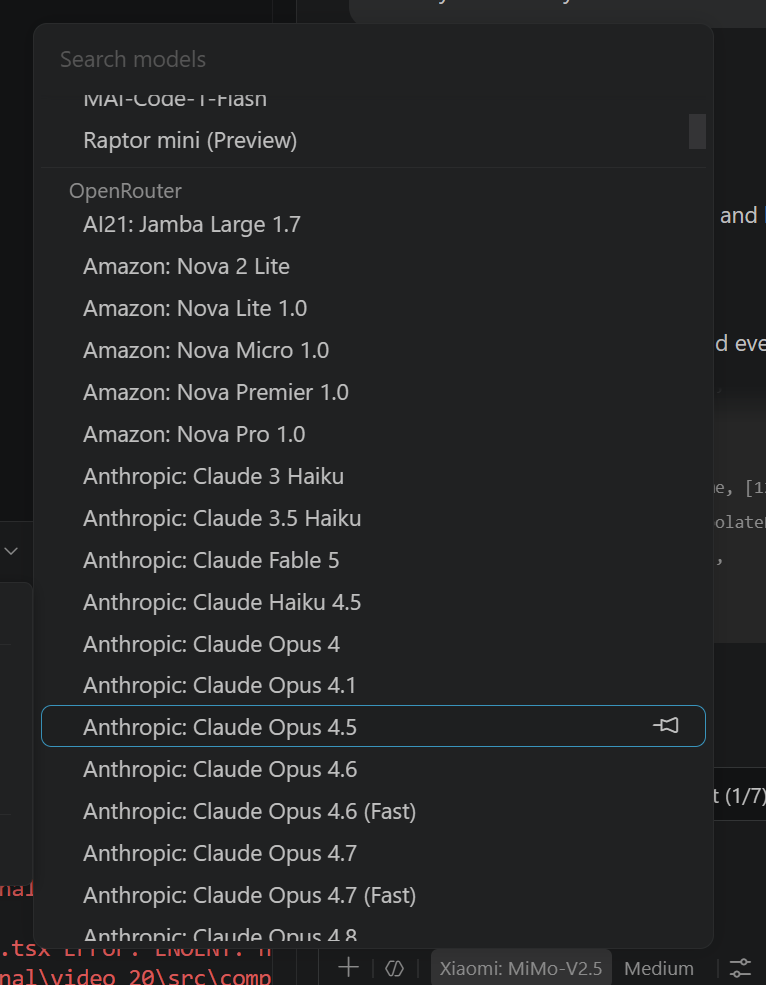
Choosing Between Free and Paid Models
OpenRouter's model marketplace lists every option with pricing. Free models include Meta's Llama 3 8B, Mistral 7B, and Google's Gemma 7B. These work well for code completion, documentation generation, and simple refactoring tasks.
Paid models deliver better reasoning and context handling. GPT-4 Turbo costs $10 per million input tokens but produces more accurate code and better follows complex instructions. Claude 3 Opus excels at large codebases with 200K token context windows.
Model | Cost (per 1M tokens) | Best For |
|---|---|---|
Mistral 7B | Free | Quick completions |
Llama 3 70B | Free | General coding |
GPT-3.5 Turbo | $0.50 | Balanced option |
GPT-4 Turbo | $10 | Complex logic |
Claude Opus | $15 | Large contexts |
Switching models takes seconds. Update the modelName in settings and reload. Keep GPT-3.5 as your default for routine work. Switch to GPT-4 when debugging tricky algorithms or designing system architecture.
My personal favourites are mimov2.5 and kmik2 as low cost models. When I'm working on anything complex I switch to sonnet, opus or gpt 5.5
Practical Usage Patterns
Highlight code blocks and right-click to access Continue commands. "Explain Code" generates documentation comments. "Fix Code" identifies bugs and suggests corrections. These context-aware features work better than chatting in the sidebar.
Keyboard shortcuts accelerate AI interactions. Map Ctrl+I to "Ask Continue" for instant question prompts. Use Ctrl+Shift+I for "Edit Code" to refactor selected text. Custom keybindings appear in VSCode's Keyboard Shortcuts editor under the Continue section.
The slash command system provides structured prompts. Type /edit to modify code, /comment to add explanations, or /test to generate unit tests. These commands format your requests optimally for model consumption, producing better outputs than freeform questions.
Conversations persist across VSCode sessions. The Continue sidebar maintains chat history so you can reference earlier discussions. Click the history icon to browse past threads. This continuity helps when you need to revisit an AI's earlier suggestion or continue a complex debugging session.
Optimizing Token Usage
Long prompts cost more money. Be specific but concise. Instead of "Can you help me figure out what might be wrong with this function that processes user data?", write "Debug this user data parser." The model understands context from your selected code.
Disable models on file save events unless necessary. Auto-completion on every keystroke burns through free tier limits quickly. Configure Continue to trigger only on manual invocation. This setting lives under Continue's advanced options in VSCode settings.
Monitor your OpenRouter dashboard weekly. The usage graphs show which models consume most tokens. If GPT-4 charges accumulate faster than expected, audit your prompts for verbosity. Consider switching complex tasks to Claude Opus, which often requires fewer iterations to reach correct solutions.
Context length matters more than model size for many tasks. A 70B parameter model with 8K context may struggle where a 7B model with 32K context succeeds. Match context windows to your file sizes. The database optimization techniques I've written about previously apply here bigger isn't always better.
Handling Rate Limits and Errors
OpenRouter implements per-model rate limits. Free models cap at roughly 60 requests per minute. Paid tiers increase limits proportionally to spending. When you hit a limit, Continue displays timeout errors.
The extension retries failed requests automatically. Configure retry behavior in settings under continue.maxRetries. Set it to 3 for balance between persistence and responsiveness. Higher values help during peak usage but may frustrate you during legitimate outages.
Fallback models provide redundancy. Specify a secondary model in your configuration:
{
  "continue.models": [{
    "model": "openai/gpt-4-turbo",
    "fallbackModels": ["openai/gpt-3.5-turbo"]
  }]
}
If GPT-4 times out, Continue automatically switches to GPT-3.5. This works well for production workflows where AI availability matters more than always using the best model.
OpenRouter vs. Alternatives
GitHub Copilot costs $10 monthly for a single model with limited customization. OpenRouter's pay-per-use model costs less for occasional users. Heavy users might prefer Copilot's predictable pricing but sacrifice model choice.
Direct OpenAI or Anthropic APIs require separate integrations. You manage rate limits and errors independently. OpenRouter's unified interface simplifies multi-model strategies. The tradeoff is a small markup on token prices typically 10-20% over direct API costs.
Local models through Ollama avoid API costs entirely. You need GPU hardware and technical expertise to run models locally. OpenRouter suits developers who want model access without infrastructure overhead. When I scaled Smler to handle billions of links, architecture mattered more than infrastructure the same principle applies here.
AiRouter is a good alternative to openrouter. If you wish to support indian companies. It offers a similar pricing as openrouter.
Troubleshooting Common Issues
Authentication errors usually mean incorrect API keys. Verify your key starts with sk-or-v1- and hasn't been revoked. Check the OpenRouter dashboard for key status. Regenerate if necessary and update your VSCode settings.
Slow responses indicate model overload or network issues. Switch to a less-popular model temporarily. Mistral models typically respond faster than GPT-4 during peak hours. The Continue extension shows loading indicators if they persist beyond 30 seconds, cancel and retry.
Empty completions suggest context misunderstandings. Rephrase your prompt more explicitly. Prefix questions with relevant code comments. The model needs sufficient context to generate useful responses. Select more code before invoking Continue commands.
High costs require usage audits. OpenRouter's billing page breaks down expenses by model and day. Identify which tasks consume most tokens. Consider using free models for those operations or optimizing prompt lengths.
Integrating with Team Workflows
Shared team configurations ensure consistent AI assistance. Store Continue settings in a .vscode/extensions.json file within repositories. Document your OpenRouter setup in project READMEs. Team members can onboard quickly with standardized model selections.
Budget pooling through OpenRouter's organization accounts spreads costs across teams. Administrators set spending limits per user. This works better than individual API keys when multiple developers need premium model access.
Code review policies should address AI-generated code. Establish guidelines for when AI assistance requires human verification. Complex algorithms and security-critical code deserve extra scrutiny regardless of whether AI or humans wrote initial implementations.
The tools and automation strategies I've developed for content generation apply equally to code generation. Human oversight remains essential even with sophisticated AI models.
Keeping Your Setup Current
OpenRouter adds new models monthly. Subscribe to their changelog to catch improvements. Newer models often provide better quality at lower prices. Periodically review your default model selections and update when it makes sense.
Continue's development moves quickly with weekly releases. Enable automatic extension updates in VSCode to receive improvements. Breaking changes are rare but read release notes before major version upgrades.
Model capabilities evolve faster than software patterns. Today's premium models become tomorrow's free tiers. Build abstractions that make switching models trivial. Avoid hard dependencies on model-specific quirks or output formats.
The techniques described here extend beyond VSCode. Similar integration patterns work for JetBrains IDEs, Neovim, and Emacs. OpenRouter's API compatibility with OpenAI's format means most AI-powered tools support it with minimal configuration changes.
This setup has changed how I work day to day. Being able to mess around with free models, then pay for better ones when I actually need them, makes sense for both learning and real work. Whether you're building purpose-built CMSs or debugging database queries, having multiple AI models available through a single interface speeds up pretty much everything.
Published with LeafPad[ END_OF_POST ]